
Quick answer
- Leave it on. It's on by default and it reduces battery wear without costing you a full charge in the morning.
- Stuck at 80%? That's usually the feature working, a charge limit you set, or the phone pausing because it's warm.
- Need 100% now? Touch and hold the Lock Screen charging notice and tap Charge Now. No need to turn the feature off.
- iPhone 15 or newer? You can also pick a charge limit from 80% to 100% in Settings > Battery > Charging.
- Settings can't fix a worn battery. If it drains fast or shuts down early, a battery replacement can. Call or get a free quote.
Battery not lasting the day? Get it checked in Tustin
Ultimate Wireless Solutions replaces iPhone, Samsung Galaxy and Google Pixel batteries for customers across Orange County. Every phone is different, so call or get a free quote.
What optimized battery charging iPhone settings actually do
Lithium-ion batteries wear faster when they sit at a full charge for hours, especially when warm. Optimized Battery Charging is Apple's fix for the overnight habit of spending most of the night parked at 100%.
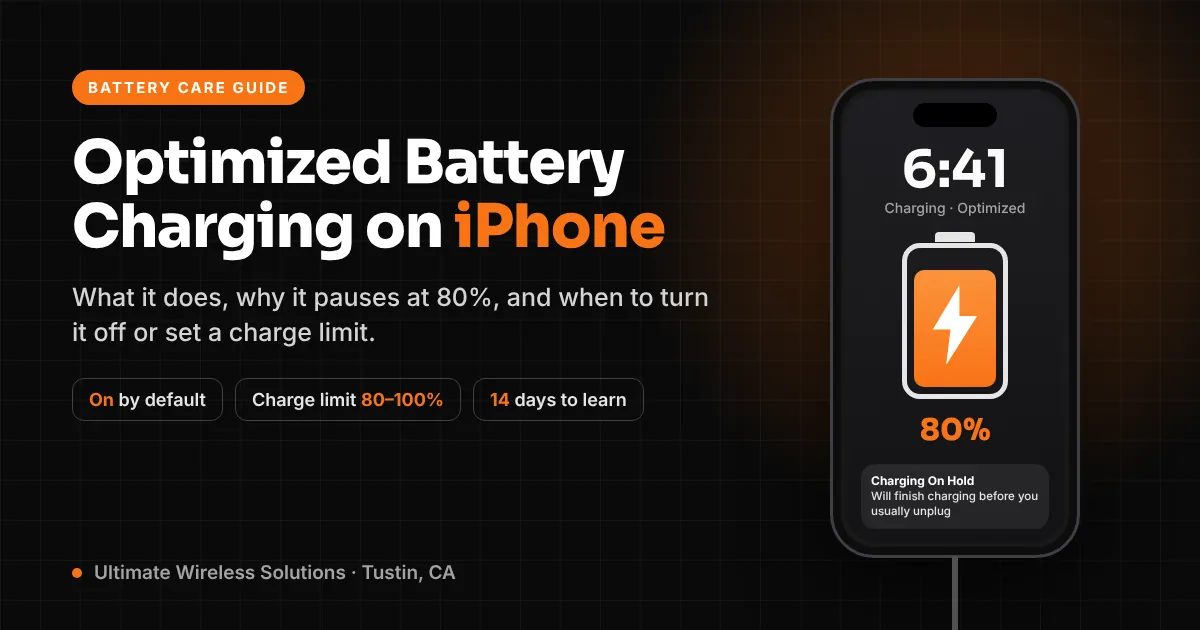
With the feature on, your iPhone learns your daily charging routine on the device itself. When it predicts you'll stay plugged in for a long time, it charges to about 80%, waits, and then finishes charging so it's full by the time you normally pick it up. A notice on the Lock Screen tells you when it expects to be fully charged.
At our Tustin shop we often see people who turned the feature off because they thought the 80% pause meant a bad charger or a failing battery. In most cases the phone was doing exactly what it was designed to do.
- It's on by default when you set up a new iPhone.
- It only kicks in for long charges, typically overnight at home or at your desk at work.
Why your iPhone stops charging at 80%
If your iPhone sits at 80% and won't go higher, one of three things is usually happening:
- 1Optimized Battery Charging is holding the charge. Look for the Lock Screen notice that says when it will finish. It will top up before your usual unplug time.
- 2You set a charge limit. On iPhone 15 and later, a limit below 100% stops charging within a few points of that number every time.
- 3The phone is too warm. iPhone can pause charging past 80% when it heats up, for example in a thick case, on a pillow, or in a hot car. Let it cool and charging resumes.
If none of those fit and the battery percentage jumps around, drops suddenly or the phone shuts off at 20% to 30%, that points to a worn battery rather than a setting.
How to turn optimized battery charging on or off
The menu depends on your model. Apple lays out both paths on its Charge Limit and Optimized Battery Charging support page.
iPhone 15, iPhone 16, iPhone 17 and later
- 1Open Settings and tap Battery.
- 2Tap Charging.
- 3Drag the Charge Limit slider. You can pick 80%, 85%, 90%, 95% or 100%.
- 4Set it to 100% if you want the Optimized Battery Charging switch. It only appears at 100%. Turn it on or off there.
iPhone 14 and earlier
- 1Open Settings and tap Battery.
- 2Tap Battery Health & Charging.
- 3Turn Optimized Battery Charging on or off. If you turn it off, iOS asks whether to turn it off until tomorrow or for good. "Until tomorrow" is usually the better choice.
Need a full charge just this once?
You don't have to change any settings. When the Lock Screen says charging is on hold, touch and hold that notification and tap Charge Now. Your iPhone charges straight to 100% this time and goes back to normal afterward.
Optimized Battery Charging vs the 80% charge limit
iPhone 15 and newer models give you a second tool: a fixed charge limit. Both aim to reduce time spent at a full charge, but they work differently.
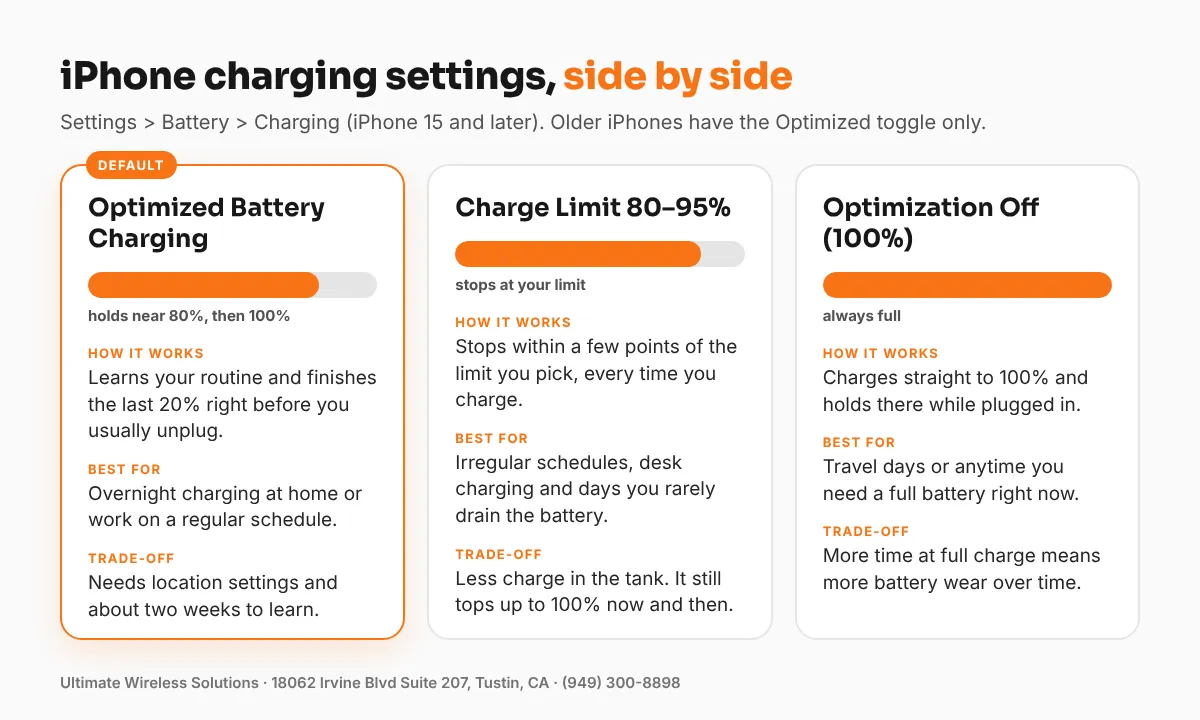
- Pick Optimized Battery Charging if you charge overnight on a regular schedule and want a full battery when you wake up.
- Pick a charge limit (80% to 95%) if you charge at random times, keep your phone on a charger at your desk all day, or rarely drain it below half.
- Turn optimization off only for short stretches, like a travel day when you need every percent.
With a charge limit set, your iPhone still charges to 100% now and then to keep its battery percentage accurate.
Optimized battery charging not working? Check these
The feature is picky about when it turns on, and that's by design. According to Apple's troubleshooting page, it needs at least 14 days to learn your habits and at least nine charges of five hours or more in the same place. It also stays off when you travel, charge in short bursts or keep an irregular schedule.
If you charge at home every night and it still never activates, check your location settings:
- 1Go to Settings > Privacy & Security > Location Services and make sure Location Services is on.
- 2Tap System Services and turn on System Customization.
- 3In System Services, tap Significant Locations and turn it on.
Other habits that protect your iPhone battery
Settings help, but heat does more damage to a battery than almost anything else:
- Keep it cool while charging. Don't charge under a pillow, on a bed or in direct sun. If the phone gets hot in a thick case, take the case off while it charges.
- Don't leave it in a hot car. Orange County summers can push a parked car well past what a battery likes.
- Don't stress about fast charging. Your iPhone controls how fast it charges and slows down near full. Heat is the real problem, not the charger's speed.
- Use a good cable and charger. A frayed cable or a loose connection makes charging slow and inconsistent. Our guide to why a phone won't charge covers what to check.
How to check battery health and when to replace it
No setting can bring back capacity a battery has already lost. To see where yours stands:
- iPhone 15 and later: Settings > Battery > Battery Health. You'll see maximum capacity, cycle count, and when the battery was made and first used.
- iPhone 14 and earlier: Settings > Battery > Battery Health & Charging shows maximum capacity and peak performance capability.
Apple says batteries in iPhone 14 and earlier models are designed to keep 80% of their original capacity at 500 complete charge cycles, and iPhone 15 and later at 1,000 cycles under ideal conditions. Real-world results depend on heat and charging habits, which is exactly why Optimized Battery Charging exists.
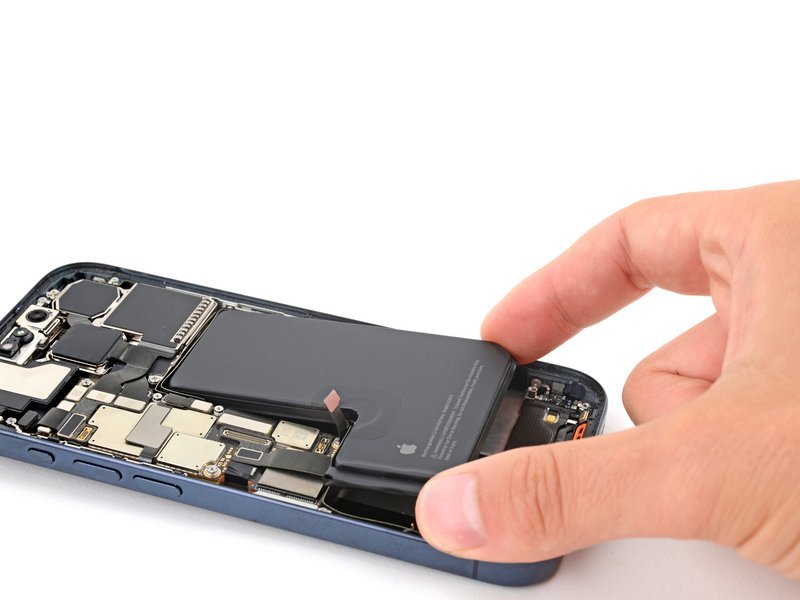
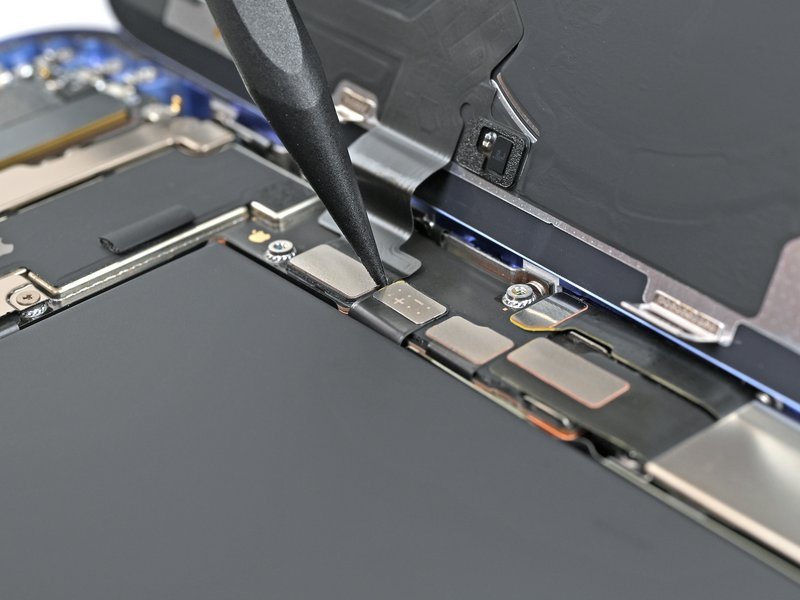
When capacity drops low enough that your phone can't get through the day, a battery replacement is usually far cheaper than a new phone. Curious what's involved? Our iPhone 15 Pro battery replacement guide walks through every step. The battery is glued in next to delicate cables, so most people are better off letting a technician do it.
When to bring it to a pro
Book a battery check or iPhone repair if you notice any of these:
- Battery Health shows a service recommendation, or maximum capacity has dropped a lot.
- The phone shuts off with charge left, or the percentage jumps up and down.
- It gets hot while charging even out of the case and in a cool room.
- The cable feels loose or only charges at certain angles. That's often a charging port repair, not the battery.
- The screen is lifting or the back is bulging. Stop charging it and read our guide to a swollen phone battery before you do anything else.
FAQ: optimized battery charging
What is optimized battery charging on iPhone?
It's an iPhone setting that learns your routine, holds the battery around 80% during long charges and finishes right before you usually unplug. Less time at 100% means slower battery wear.
Should I turn off optimized battery charging?
For most people, no. Leave it on. If you need a full charge right away, touch and hold the Lock Screen notice and tap Charge Now instead. Turning it off for good means more hours at 100% and more battery wear.
Is the 80% charge limit better than optimized battery charging?
It depends on your routine. Optimized Battery Charging suits regular overnight charging. An 80% limit, available on iPhone 15 and later, suits people who charge at random times and rarely need a full battery.
Why is my iPhone stuck at 80% while charging?
Usually Optimized Battery Charging is holding the charge, a charge limit is set, or the phone is warm and paused charging. Check the Lock Screen notice, your Charging settings and the phone's temperature.
Does fast charging damage an iPhone battery?
Not by itself. Your iPhone manages its charging speed and slows down as it fills. Heat is what ages a battery, so charge in a cool spot and remove a thick case if the phone gets hot.
When should I replace my iPhone battery?
Consider it when Battery Health shows a service recommendation, capacity has dropped a lot, the phone shuts down unexpectedly or it can't last a normal day. A new battery restores runtime that no setting can.
iPhone battery wearing out in Orange County?
Bring your iPhone to Ultimate Wireless Solutions at 18062 Irvine Blvd Suite 207, Tustin, CA 92780, or call (949) 300-8898. We check and replace batteries for customers across Tustin, Irvine, Santa Ana, Orange, Anaheim, Costa Mesa, Newport Beach, Mission Viejo and Lake Forest. Coming from Irvine? See our cell phone repair in Irvine page for directions. Every phone is different, so call or get a free quote, or book an appointment and we'll take a look.