
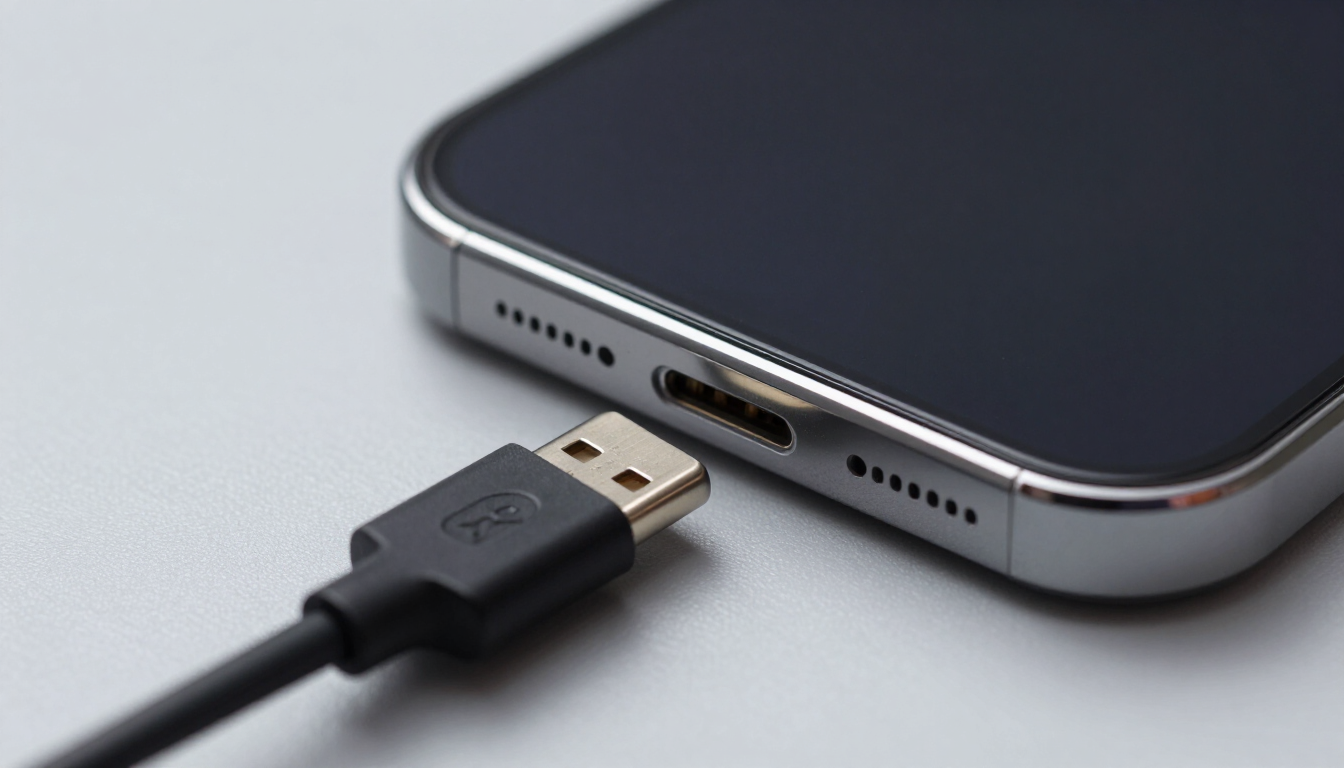
A phone that won't charge can be caused by a damaged cable, a damaged charging adapter, debris or lint inside the charging port, a worn charging port, a damaged USB-C or Lightning connector, a moisture detection alert, a failed battery, overheating, a software issue, a damaged flex cable, a charging circuit problem, or motherboard damage. The good news is that most of the simple causes take only a few minutes to rule out, and ruling them out first often saves an unnecessary repair.
Work through the list in order. The first few steps cost nothing and catch a surprising number of "dead" phones. If the easy fixes don't help, the later sections explain what a technician looks for and when a charging port repair or board-level work may be needed.
1. Check the Cable and Charger First
Before assuming the phone is broken, test with another known-good, compatible charger — a cable and adapter that already charge a similar device correctly. A frayed cable, a bent connector, or an adapter that has slowly failed are the single most common reasons a phone appears to stop charging, and they are invisible until you swap them out.
Use a charger that matches your device's requirements and comes from a reputable manufacturer. Cheap, noncompliant chargers can output unstable voltage, charge slowly, overheat, and in rare cases damage the charging circuit over time. If the phone charges normally with a different charger, you have found the problem — replace the cable or adapter, not the phone.
- Try a different cable first, then a different adapter, then a different wall outlet.
- Inspect the cable near both connectors for fraying, kinks, or exposed wire.
- If the phone charges from a computer USB port but not a wall adapter, the adapter is the likely culprit.
2. Inspect the Charging Port
Pocket lint, dust, and debris slowly pack into the charging port every time the phone goes into a pocket or bag. Eventually the buildup is dense enough that the cable can no longer seat fully, so the connection is weak or absent. Shine a bright light into the port and look for packed material at the back.
Safety note
Never put metal objects into a charging port. Do not use needles, pins, paperclips, knives, or any conductive tool to scrape the connector — a slip can short the pins, damage the connector, or destroy the charging circuit. If cautious nonmetallic cleaning does not help, have the port inspected professionally.
If you can see debris, a wooden or plastic toothpick used with extreme care can sometimes lift loose lint out of the opening — but only the loose material near the entrance, and never with force. If the debris is packed hard or the port looks damaged, stop and bring it in. Forcing a cable into a packed or damaged port bends the connector and turns a cleaning job into a charging port repair.
3. Phone Only Charges at an Angle
When a phone only charges if you hold or prop the cable at a specific angle, the connection is mechanically compromised. The three usual reasons are debris preventing full seating, a worn connector inside the port, or physical damage to the port itself.
This symptom tends to get worse over time, and repeatedly forcing or wiggling the cable to find the "sweet spot" accelerates the damage. What starts as a worn port can progress to bent pins, a torn flex connector, or damage to the charging circuit. If cleaning does not resolve it, stop wiggling the cable and have the port inspected before it gets more expensive.
4. Phone Says It's Charging but the Battery Doesn't Increase
If the charging icon appears but the percentage stays flat or drops, the phone is drawing power but not enough to overcome what it is using. Common causes include a weak charger or cable delivering less current than the device needs, high power consumption from a demanding app or a hot device, a damaged battery that can no longer accept a full charge, a fault in the charging circuitry, or heat triggering a protective slowdown.
Try a stronger known-good charger, close demanding apps, and let the phone cool down. If it still will not gain charge on a good charger, the battery or charging circuit is the more likely cause and a diagnostic is the next step. A battery replacement resolves a large share of these cases.
5. Moisture or Liquid Detection
Many modern phones detect moisture in or around the charging port and disable wired charging to protect the circuit. Take these alerts seriously — they exist because charging through moisture can corrode or short the connector. Disconnect the cable and allow the port to dry thoroughly before trying again.
Skip the rice
Do not put a wet phone in rice. Rice does not properly address internal corrosion or trapped moisture, and starch dust can work its way into the port. For a real liquid exposure, the device should be opened, cleaned, and inspected — see our water damage repair page for what that involves.
6. Battery Failure
A battery that has reached the end of its service life can produce several symptoms: unusually fast draining, unexpected shutdowns at a percentage that should have charge left, excessive heat during use or charging, or a phone that simply will not take a charge. On phones with a battery health indicator, a low maximum capacity reading is a useful clue but not the whole story.
Swollen battery — stop immediately
If the battery appears swollen — a screen lifting at one edge, a warm bulge in the back, or a case that has popped open — stop charging and stop using the device, and bring it in for professional service. Do not press on the swelling, do not try to puncture it, and do not continue to charge a swollen battery.
7. USB-C Port Problems
USB-C is more durable than older connectors, but the port still wears out. The small internal tongue that the cable seats around can bend or break, pins can wear or corrode, and the connector housing can loosen from the board after repeated plugging. A USB-C cable that fits loosely, falls out on its own, or only works in one orientation is usually pointing at port wear or damage.
Because USB-C carries both power and data through the same small connector, a damaged port can also cause intermittent data transfer, accessory recognition failures, or audio glitches — not just charging problems.
8. iPhone Lightning and USB-C Charging Problems
Current and supported iPhones use either Lightning or USB-C depending on the model. The same failure patterns apply to both: lint packed into the connector, a worn or bent port, a failing cable, or a battery at the end of its life. iPhones are also quick to show a moisture alert and disable wired charging when liquid is detected.
If a known-good cable and adapter do not bring an iPhone back to life, the next step is a port inspection and, if the port is fine, a battery health check. Our iPhone repair page covers the common charging and battery issues we see across current models.
9. Wireless Charging Works but Cable Charging Doesn't
If your phone charges on a wireless pad but not through any cable, you have narrowed the problem significantly. Wireless charging uses an inductive coil inside the phone, while wired charging runs through the charging port, flex cable, and charging circuit. When wireless works and wired does not, the fault is almost certainly somewhere in the wired charging system — the port, the flex connector, or the charging circuitry — rather than the battery or the main power path.
This is a useful diagnostic clue to give a technician. It does not mean the phone is fine to keep using on wireless only long-term, since a damaged port can still let in debris or moisture.
10. Software Problems
Software is a real but less common cause of charging trouble. A glitched charging state, a misbehaving app keeping the device awake, or an outdated system can occasionally prevent normal charging or cause a false reading. A simple restart and installing available system updates are safe first steps.
Be careful not to overstate this one. Software does not cause a physically damaged port, bent pins, or a worn connector. If the phone charges reliably after a restart but the port is clearly loose or only works at an angle, the hardware still needs attention.
11. Charging Port Repair
When the port itself is the problem, the repair depends on the device. On many phones and tablets the charging port is part of a flex assembly that can be replaced relatively cleanly. On other devices — particularly thinner phones, some tablets, and most game consoles — the connector is soldered directly to the motherboard, so replacing it requires microsoldering and board-level work.
A technician will first confirm the port is actually the cause (rather than a cable, battery, or circuit fault) before replacing anything. Jumping straight to a port replacement without diagnosis is how easy fixes get turned into expensive ones. See our charging port repair page for what the process involves.
12. Motherboard and Charging Circuit Problems
Sometimes the port and the battery are fine, but the charging circuit on the motherboard has failed. In everyday language, the charging IC — the chip that regulates power coming into the phone — can fail, the tiny pads that anchor the connector to the board can tear away, the board-level connector can be damaged, or liquid damage can corrode the charging path.
These are board-level faults. They require microsoldering, a proper diagnosis, and often a parts donor or specialized repair. They are not something a cable swap or a port cleaning will fix. The good news is that many are repairable — but only after a technician confirms the fault, because the symptoms can look identical to a dead battery or a bad port.
| Symptom | Possible cause | Next step |
|---|---|---|
| Charges only at an angle | Debris, worn connector, or damaged port | Inspect professionally if careful cleaning doesn't help |
| Wireless works, cable doesn't | Wired charging system (port, flex, or circuit) | Inspect charging port and charging circuit |
| No response to any charger | Battery, port, board, or power issue | Diagnostics recommended before any repair |
| Moisture alert | Moisture present in or near the port | Disconnect and allow proper drying or inspection |
| Charging icon but no increase | Weak charger, high drain, battery, or circuit | Try a stronger charger; then diagnostic if it persists |
| Loose USB-C connection | Worn or damaged port | Port inspection and likely replacement |
Quick diagnostic reference — symptoms, possible causes, and next steps. This table is a starting point, not a guaranteed diagnosis.
Need Help in Orange County?
If you have worked through the easy checks and your phone still won't charge reliably, Ultimate Wireless Solutions provides phone diagnostics and repair from its Tustin, California location, serving customers throughout Orange County. We start with a proper diagnosis so you don't pay for a repair you don't need — whether that turns out to be a charging port repair, a battery replacement, water damage service, or board-level work.
We work on iPhones, Samsung and other Android phones, tablets, and more. See our phone repair, iPhone repair, and Samsung repair pages for the full range of services, or request a quote directly.