Quick Answer
A phone's resale value usually depends on its model, storage capacity, age, physical condition, and functional condition — including the screen, back glass, battery, charging behavior, cameras, Face ID or fingerprint functionality, speakers, microphones, Wi-Fi and Bluetooth, and whether the device powers on. Carrier or unlock status also matters, as does whether activation lock (Find My iPhone or Google Factory Reset Protection) has been removed. No reputable buyer can promise an exact value without evaluating the actual device in front of them.
If you are trying to estimate what your phone is worth, the most useful first step is to identify the exact model and storage, honestly assess the condition, and then compare a couple of offers. The rest of this guide walks through each factor and how to prepare the device safely before you sell.
1. What Determines How Much Your Phone Is Worth?
Resale value is not a single number printed on a price sheet. It is the result of several factors evaluated together. Understanding them helps you predict whether an offer will be strong, modest, or low — and whether a small repair before selling might be worthwhile.
Model
Newer and higher-end devices typically carry more resale value than older or budget-tier models. A current flagship phone is generally worth more than a three-year-old entry-level phone in similar condition. Within a single model line, Pro, Pro Max, Plus, and Ultra variants usually retain more value than the standard or mini variants because of their higher original price and stronger demand.
Storage Capacity
Higher storage capacity may increase a phone's resale value, because buyers looking for used devices often want enough room for photos, apps, and files. The difference is usually more meaningful on flagship models and less pronounced on older or lower-demand devices. We do not quote specific dollar differences here, because the gap varies by model, market demand, and condition.
Physical Condition
Cosmetic condition is one of the first things a buyer or inspection process evaluates. Common issues that affect value include:
- Cracked screens — front glass or display damage is one of the largest value reducers.
- Scratches and scuffs on the frame, screen, or back.
- Damaged back glass, which on many modern phones also interferes with wireless charging.
- Frame damage such as bends, dents, or chips around the edges.
- Water damage, which can affect internal components even when the outside looks fine.
A phone that looks clean and intact almost always evaluates better than one with visible damage, even when both work. If your back glass is cracked, a back glass repair before selling can sometimes improve the offer.
Functional Condition
A phone that looks perfect but does not work correctly is worth less than one that functions fully. Functional checks typically include:
- Charging — does it charge reliably with a known-good cable and adapter?
- Battery — does it hold a charge through a normal day, or does it drain quickly or shut down unexpectedly?
- Cameras — do the front and rear cameras focus, capture, and switch normally?
- Speakers and microphones — is audio clear for calls, video, and recordings?
- Wi-Fi and Bluetooth — do both connect and stay connected?
- Face ID or fingerprint sensor — does biometric unlock work?
- Buttons — do the power and volume buttons respond?
A device with a weak battery or a faulty charging port may still sell, but the offer usually reflects the cost a buyer expects to incur fixing it. A battery replacement or charging port repair can sometimes recover more value than it costs on a newer phone.
Carrier / Unlock Status
Network status and compatibility can affect resale value. An unlocked phone that works across multiple carriers is generally more flexible for a buyer than one locked to a specific carrier, so it may evaluate more favorably. Carrier-locked, financed, or blacklisted devices are often worth less or may be declined entirely. We do not claim that every carrier behaves the same way — lock policies, financing rules, and eligibility vary — so confirm your device's actual status before requesting an offer.
2. Trade-In vs. Selling for Cash
There are two broad ways to part with a used phone: trade it in toward another purchase, or sell it directly for cash. Neither is universally better. The right choice depends on whether you are already planning to buy another device, how quickly you want payment, and how much flexibility matters to you.
| Option | Pros | Cons |
|---|---|---|
| Trade-in | Convenient; can be applied toward another purchase; simple process | Often limited to store credit or promotional value; may have strict eligibility; value may depend on upgrading |
| Selling for cash | Direct payment; no requirement to buy another device; more flexibility | Buyer evaluation may vary; condition affects the offer; can take more effort to arrange |
A general comparison. Your specific offer always depends on the device, condition, and the buyer's current process.
If you are already upgrading through a carrier or manufacturer, a trade-in credit can be the path of least resistance. If you want cash and the freedom to spend it however you like — or you are not buying a new phone at all — selling directly is usually the better fit.
3. Should You Repair Your Phone Before Selling It?
Sometimes a low-cost repair increases resale value by more than it costs, and sometimes repairing first is not financially worthwhile. The decision comes down to simple math: compare the expected value of the phone after repair minus the repair cost, against the best as-is offer you can get today.
Repairs that may make sense before selling include:
- A relatively newer phone with a cracked screen — a screen repair can substantially lift the offer.
- A weak or failing battery — a battery replacement is often inexpensive relative to the value it preserves.
- A damaged charging port — a charging port repair can turn a phone that "won't charge" into a fully functional device.
- Cracked back glass — a back glass repair can improve both cosmetics and wireless charging function.
Selling as-is may make more sense when:
- The phone is very old and has low resale value regardless of condition.
- There is severe liquid damage or corrosion.
- Multiple major components are failing at once.
- There is board-level damage that requires expensive microsoldering.
- The repair cost would approach or exceed the phone's likely resale value.
We do not give universal percentages, because the math changes with every model and condition. The practical approach is to get an as-is offer and a repair quote, then compare. If you want help thinking it through, our phone repair team can assess the device and explain whether a repair is likely to pay off before a sale.
4. Can You Sell a Broken Phone?
Yes — broken devices can still have value, but how much depends on the model, parts demand, the specific condition, whether the motherboard works, whether the phone powers on, and whether it is activation locked. Not every broken phone has meaningful resale value, and some damaged devices may be declined entirely.
Common broken-device situations that may still qualify for an offer include:
- A cracked screen on an otherwise functional phone.
- Broken back glass with a working display and battery.
- A weak battery on a phone that otherwise runs well.
- A charging issue that a port repair would resolve.
- A camera problem on an otherwise healthy device.
- A phone with no display but signs of life.
- A water-damaged phone, depending on the extent of internal corrosion.
A phone that is activation locked, blacklisted, or reported lost or stolen is a different matter — most legitimate buyers will not purchase those, and the rightful owner must remove account locks before a sale can proceed.
5. How to Prepare Your Phone Before Selling It
Preparing a phone for sale is mostly about protecting your data and making the device ready for its next owner. Do these steps in order, and do not skip the backup.
Back up before you erase
Do not factory-reset your phone until you have confirmed your account credentials and completed a valid backup of everything you want to keep. A factory reset is permanent — once it is done, photos, messages, app data, and local files that were not backed up are gone.
- 1Back up important data — photos, files, messages, and anything stored locally — to iCloud, Google, a computer, or an external drive.
- 2Transfer photos and files you want to keep and confirm they are accessible from another device.
- 3Verify your account credentials — make sure you can sign in to your Apple ID, Google account, and any other important accounts from another device.
- 4Remove your Apple ID or Google account appropriately — sign out so the device is released from your account.
- 5Disable Find My iPhone / Find My Device where appropriate, so activation lock is removed.
- 6Sign out of personal accounts — email, banking, social, and authenticator apps.
- 7Remove the SIM card, and remove any eSIM where appropriate for your carrier.
- 8Factory-reset the device only after confirming the backup is complete and accounts are signed out.
- 9Clean the device exterior so it presents well during inspection.
- 10Gather accessories if relevant — the original box, charger, or cable can sometimes help, though they are rarely required.
If you are unsure how to remove activation lock or sign out of your account on a specific model, our contact page can point you to help before you sell.
6. Activation Lock and Find My iPhone
Activation lock is a theft-protection feature. On an iPhone, Find My iPhone ties the device to an Apple ID so that, even after a factory reset, the phone cannot be set up by anyone else without the original owner's Apple ID credentials. An iPhone still linked to another person's Apple ID is significantly harder — and often impossible — for a legitimate buyer to reuse, which is why most buyers will not purchase an activation-locked iPhone.
If you are the rightful owner, remove the device from your account before selling: sign out of iCloud, turn off Find My iPhone, and follow Apple's process for removing the device from your Apple ID device list. This releases the activation lock so the next owner can set it up normally.
We do not help bypass activation lock
We do not provide instructions for bypassing activation lock, and a legitimate buyer should never ask you to. If a device is not yours to sell, do not sell it.
Android phones have a similar feature called Google Factory Reset Protection. After a reset, the device may require the Google account that was previously on it before it can be set up again. As with iPhone, the rightful owner should remove their Google and Samsung accounts and turn off Find My Device before selling so the next owner is not blocked.
7. How to Check Your Phone Before Getting an Offer
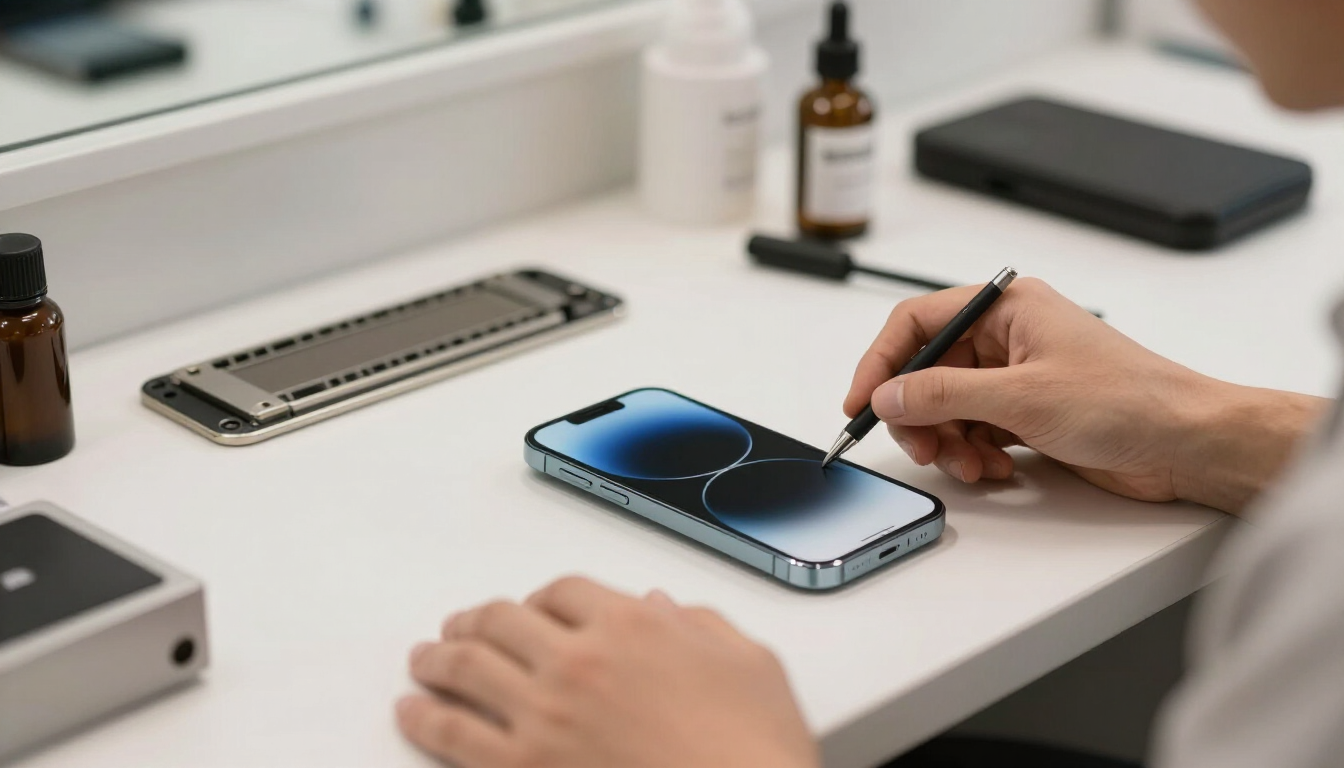
A quick self-inspection helps you describe the device accurately and avoid a revised offer later. You do not need to disassemble anything — these are all external, everyday checks.
- Screen — any cracks, dead spots, lines, or discoloration?
- Touch — does the touchscreen respond across the whole display?
- Buttons — do power and volume buttons click and respond?
- Charging — does it charge with a known-good cable and adapter?
- Battery — does it hold a charge through a normal day?
- Cameras — do front and rear cameras open, focus, and capture?
- Microphones — can callers hear you and do recordings pick up sound?
- Speakers — is audio clear for calls, music, and video?
- Wi-Fi and Bluetooth — do both connect and stay connected?
- Cellular connectivity — does it see the network and place calls?
- Face ID or fingerprint — does biometric unlock work?
- Back glass and frame — any cracks, bends, or dents?
- Liquid indicators — where present, have they been triggered?
Being honest about what you find produces a more realistic preliminary estimate and fewer surprises during inspection.
8. Where Can You Sell Your Phone?
There are several common places to sell a used phone, each with different tradeoffs:
- Carrier trade-in — convenient if you are already upgrading, but usually limited to credit toward a new device or plan.
- Manufacturer trade-in — simple and brand-specific, often tied to purchasing a new device from the same manufacturer.
- Online marketplaces — can reach many buyers, but come with more effort, messaging, and some fraud risk.
- Online buyback companies — quick quotes and shipping labels, but offers are final only after inspection and can be revised.
- Local electronics or phone businesses — in-person evaluation and often same-day payment, with the device inspected in front of you.
- Private sale — potentially the highest price, but the most effort and the most exposure to no-shows and scams.
The tradeoffs that matter most are convenience, speed, fraud risk, payment method, and how strict the condition requirements are. A local business offers speed and face-to-face certainty; an online buyback offers convenience; a private sale offers potential price but more risk and effort.
9. Selling a Phone in Orange County?
Ultimate Wireless Solutions is located in Tustin, California and can assist local customers with device evaluation where that service is offered by the business. If you are in Orange County and want an in-person assessment of your phone's condition and possible value, you can bring the device to our Tustin shop for inspection.
We do not guarantee a cash offer on every device, and not every phone qualifies. Contact Ultimate Wireless Solutions to ask about current device purchase or trade-in options for your specific model and condition. You can also start through our cash for phones page to request a preliminary estimate online.
If your phone turns out to be worth more repaired than sold as-is, our iPhone repair and Samsung repair services can address common issues like screens, batteries, charging ports, and back glass before you sell.
| Factor | May increase value | May reduce value |
|---|---|---|
| Newer model | Higher demand and longer useful life | Older models attract lower offers |
| More storage | Greater flexibility for buyers | Lower storage may be worth less |
| Unlocked status | Works across carriers, broader buyer pool | Carrier-locked may be worth less or declined |
| Clean screen | No cracks or display damage | Cracked screen significantly reduces value |
| Good battery | Holds a charge through normal use | Weak battery lowers the offer |
| Broken back glass | — | Reduces value and may affect wireless charging |
| Charging problems | — | Suggests a port or board issue; lowers value |
| Activation lock | — | Often makes a device unsellable to legitimate buyers |
| Liquid damage | — | Corrosion risk can sharply reduce or eliminate value |
A general guide to how common factors tend to affect resale value. Actual offers always depend on the specific device and inspection.
Need Help Evaluating Your Phone?
Whether you want to sell a working phone, a cracked one, or a device you are not sure is worth anything, Ultimate Wireless Solutions can help you figure out the next step from our Tustin, California location, serving customers throughout Orange County. Request a preliminary estimate, ask about current device purchase or trade-in options, or get a repair quote if fixing the phone first makes more financial sense.
Related services: cash for phones, phone repair, iPhone repair, Samsung repair, screen repair, battery replacement, and contact us.