1. The Quick Answer: Repair vs Upgrade
Repair usually makes sense when one or two components are damaged and the iPhone still meets your needs — it runs the apps you use, holds a charge through the day, and still receives software updates. A cracked screen, a weak battery, a worn charging port, or broken back glass are all common, isolated problems that a targeted repair can often resolve for a fraction of what a new phone costs.
Upgrading tends to make more sense when several major components are failing at once, the frame is badly damaged, the storage or performance no longer works for you, or the repair cost approaches the value of a replacement you would actually be happy with. There is no single percentage that applies to everyone. The right call comes from comparing a real repair quote against a real replacement cost, factoring in your data and how the phone actually performs day to day.
New iPhones just launched
Apple introduced the iPhone 18 Pro and iPhone 18 Pro Max in September 2026. That is useful context for what counts as "current," but it does not by itself make your existing iPhone obsolete. The decision still comes down to condition, cost, and whether the phone still does what you need. Confirm current figures with Apple or your carrier before deciding.
2. When Repairing an iPhone Is Usually Worth It
Repair is often the better financial choice when the damage is limited to a single component and the rest of the device is healthy. If your iPhone opens apps quickly, holds a charge, takes clear photos, and still gets security updates, fixing the one broken part can add a year or more of useful life for far less than the cost of a new phone.
Common single-component situations where repair tends to pay off include a cracked screen on an otherwise good phone, a battery that no longer lasts the day, a charging port that only works at an angle, and shattered back glass. Each of these has a dedicated iPhone repair path, and most can be completed quickly at our Tustin shop. The key question is whether the rest of the phone is still serving you — if it is, a targeted repair is usually the higher-value move.
3. When Upgrading May Make More Sense
Upgrading deserves serious consideration when the problems stack up. If the screen is cracked and the battery is failing and the charging port is loose, the costs add up quickly and a single repair no longer solves the whole problem. The same is true when the frame is bent or badly damaged, since a compromised frame can affect how components seat and how the phone survives future drops.
Storage and performance matter too. If your iPhone is constantly out of space, struggles with the apps you actually use, or no longer receives important software or security updates, those are signs the device is reaching the end of its useful life for you — and no single component repair will fix that. Finally, if the total repair cost approaches the price of a replacement you would be happy with, replacement becomes the more rational choice. A diagnostic and quote give you the real numbers to compare.
4. Cracked Screen: Repair or Replace?
A cracked screen is one of the clearest cases for repair. If the iPhone runs well, holds a charge, and otherwise does what you need, replacing the display can add a year or more of useful life for a fraction of replacement cost. Even a screen that still works should be fixed early — cracks spread, can cut your finger, and let dust and moisture reach the display layers underneath.
The exception is a phone that is already struggling in other ways. If the battery is also failing and the device no longer receives updates, a screen repair on top of those problems may be money better put toward a replacement. See our screen repair page for what the process involves, and our iPhone repair page for model-specific options.
5. Weak Battery or Low Battery Health: Repair or Upgrade?
A weak battery is one of the highest-value repairs there is. If your iPhone otherwise performs well but shuts down unexpectedly, drains fast, or will not last the day, a battery replacement can make it feel new again for a modest cost. This is often the single repair that most changes whether a phone feels worth keeping.
iPhones report battery health in Settings, and a low maximum capacity or a "service recommended" notice is a useful clue — but it is not the whole story. If the phone throttles performance to prevent shutdowns on a weak battery, a fresh battery often restores normal speed as well. The case for upgrading instead is when the battery is one of several failures, or when the phone is old enough that you would be investing in a device nearing the end of its software support.
6. Charging-Port Problems and Why Diagnosis Matters
A phone that only charges at an angle, has a loose connector, or will not recognize a cable is a strong candidate for charging port repair — but only after the actual cause is confirmed. Charging trouble is frequently misread as a port problem when the real cause is a worn cable, a weak adapter, or pocket lint packed into the connector. Swapping the port without checking those first is how easy fixes turn into expensive ones.
This is why diagnosis matters before replacing the port. A technician tests with known-good cables and chargers, inspects the port for debris and damage, and confirms whether the port assembly or a related component is actually at fault. On many iPhones the charging port is part of a flex assembly that can be replaced relatively cleanly; on others it is more involved. Either way, the right first step is a diagnostic, not a guess. Our phone not charging guide walks through the common causes you can check yourself first.
7. Back Glass or Housing Damage
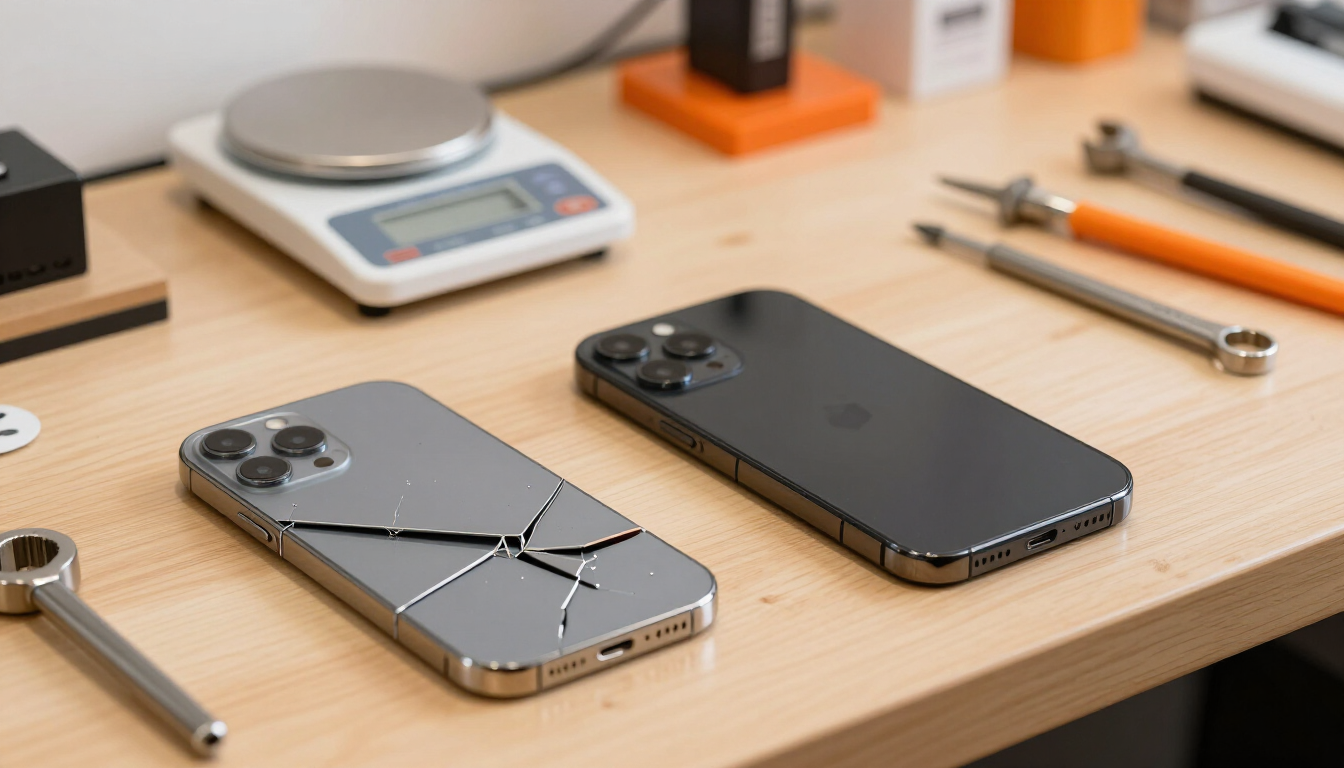
Cracked back glass is mostly a cosmetic and durability issue, but it can also interfere with wireless charging and let moisture reach the internals. If you rely on wireless charging or want to protect the components behind the glass, a back glass repair is worthwhile on a phone you plan to keep.
If you are already leaning toward upgrading soon and the phone still works, back glass is a reasonable thing to live with until you do. Frame damage is a different matter — a bent frame can affect how the screen and internal components seat and how the phone survives future impacts, so it weighs more heavily toward replacement than a purely cosmetic back-glass crack.
8. Multiple-Damage Scenarios
When more than one major component is damaged, the math changes. A cracked screen plus a failing battery plus a loose charging port means three repair costs stacking on top of each other, and at some point the total approaches the value of a replacement. There is no fixed threshold that applies to every model, which is exactly why a combined quote is the honest way to decide.
A useful approach is to add up the quotes for each repair and compare that total against the cost of a replacement you would actually be happy with, minus whatever you could get for the old phone as-is or repaired. If the repair total is comfortably below that figure and the phone still performs well, repair usually wins. If the two numbers are close, upgrading becomes the more rational call.
9. Data, Photos, and Backups Before You Decide
Data is the factor most people underweight, and it can override everything else. Photos, messages, authentication apps, local files, and saved passwords that are not backed up can make repairing a broken iPhone worth it even when the hardware is not technically worth it. If the only way to recover that data is to bring the phone back to life, repair becomes a data-recovery decision, not just a hardware decision.
Back up before you decide
Before any repair or upgrade, confirm your iCloud or computer backup is current and that you can sign in to your Apple ID from another device. A repair does not normally erase your data, but any repair carries some risk, and a factory reset before a trade-in is permanent. Back up early and often so a single failure is never catastrophic.
10. How Phone Age, Storage, and Software Support Affect the Decision
Age matters less as a number and more as a set of consequences. The real questions are how the iPhone performs today, whether it runs the apps you need, and whether it still receives software and security updates. Apple's support periods vary by model and change over time, so check the current support commitment for your exact model before deciding. A phone that no longer receives security updates is a legitimate reason to consider replacement, even if the hardware still works.
Storage plays a quieter role. If you are constantly managing space, deleting photos, or unable to install apps you need, no repair will fix that — it is a capacity problem, not a component problem. In that case upgrading to a higher-capacity device serves you better than repairing the one you have.
11. Trade-In Value vs Repair Value
A working iPhone is worth more than a broken one, and that affects the math. A phone with a cracked screen or a dead battery trades in or resells for noticeably less than the same model in working condition. If you plan to trade in or sell your current iPhone toward a replacement, a quick repair can sometimes pay for itself by raising the trade-in value — though this depends on the model, the market, and the specific repair, so check current trade-in quotes before assuming it will.
The practical comparison is straightforward: get an as-is trade-in quote, get a repair quote, and compare the repaired trade-in value minus the repair cost against the as-is figure. If repairing lifts the net value by more than the repair costs, it is worth doing before you sell. If not, sell as-is and put the repair money toward the new phone.
| Situation | Repair may make sense | Upgrade may make sense |
|---|---|---|
| Cracked screen, otherwise good iPhone | Yes — high-value repair on a healthy phone | Only if other major issues are also present |
| Weak battery, phone runs well | Yes — often the best value repair | If the phone is also outdated or unsupported |
| Loose or damaged charging port | Yes — common and often straightforward | If multiple components are also failing |
| Cracked back glass only | Yes — protects wireless charging and internals | If you are already upgrading soon |
| Multiple major components failing | Rarely — costs stack quickly | Usually the more rational choice |
| Out of storage or no longer supported | Only to recover data or for light use | Yes — capacity and security matter |
| Important data trapped on device | Yes — repair as a recovery step | Only after data is recovered or confirmed lost |
A general repair-vs-upgrade reference — nuanced, not absolute. Your specific device, quote, and data situation always override these generalizations.
12. A Simple Repair-vs-Upgrade Decision Checklist
Work through these questions in order. They will not make the decision for you, but they will make the tradeoffs clear.
- 1Does the iPhone still run the apps you need and perform well enough for daily use?
- 2Does it still receive software and security updates? Check Apple's current support for your model.
- 3Is the damage limited to one or two components, or are several major parts failing?
- 4Is the frame straight and structurally sound?
- 5Is your data backed up, or is it trapped on this device?
- 6Get a real repair quote — what does fixing the actual problem cost?
- 7Compare that against the cost of a replacement you would be happy with, minus the trade-in or resale value of the current phone.
- 8If the repair total is well below replacement and the phone still serves you, repair. If the numbers are close or the phone is unsupported, upgrade.
13. Frequently Asked Questions
Is it worth repairing an iPhone in 2026?
Usually yes, when one or two components are damaged and the phone still meets your needs. A cracked screen, weak battery, worn charging port, or broken back glass can each be fixed for a fraction of replacement cost on a phone that still performs well. It becomes less worthwhile when several major components are failing, the phone no longer receives updates, or the repair cost approaches replacement value.
Is replacing an iPhone battery worth it?
For most otherwise-healthy iPhones, yes. A battery replacement is one of the highest-value repairs — it restores all-day battery life and can even improve performance if the phone was throttling to protect a weak battery. It is less worthwhile if the battery is one of several failures or the phone is near the end of its software support.
Should I repair a cracked iPhone screen before trading it in?
Often, yes. A cracked screen significantly lowers trade-in and resale value, so repairing it first can sometimes raise the offer by more than the repair costs. Get an as-is trade-in quote and a screen repair quote, then compare. It does not always pay off on older or low-value models, so check the actual numbers for your device.
When is an iPhone too old to repair?
There is no fixed age. The real signals are whether it still performs well for your needs, whether it still receives software and security updates, and whether parts are available for your model. An iPhone that no longer gets security updates is a legitimate reason to consider replacement even if the hardware works. Check Apple's current support commitment for your exact model.
Will repairing my iPhone erase my data?
No — a screen, battery, charging port, or back glass repair does not normally erase your data. That said, any repair carries some risk, so we always recommend confirming a current backup before bringing the device in. If your goal is to recover data from a phone that will not turn on, see our data recovery page; recovery is never guaranteed.
How long do common iPhone repairs take?
Many common iPhone repairs — screens, batteries, charging ports, and back glass — are completed the same day at our Tustin shop, often within a couple of hours, depending on the model and parts availability. More involved or board-level work takes longer. We confirm timing after a diagnostic so you know what to expect.
14. iPhone Repair in Tustin and Orange County
Not sure whether your iPhone is worth repairing? Bring it to Ultimate Wireless Solutions in Tustin or request a quote. We can inspect the device, explain the repair options, and let you decide whether fixing it makes financial sense. Our physical storefront is in Tustin at 18062 Irvine Blvd, Suite 207, and we serve customers throughout Orange County, including Irvine, Santa Ana, Orange, Costa Mesa, Anaheim, and Newport Beach. Those cities are service areas — our shop is in Tustin.
We start with a proper diagnosis so you do not pay for a repair you do not need, whether that turns out to be a screen repair, battery replacement, charging port repair, or back glass repair. See our iPhone repair and phone repair pages for the full range of services, request a quote, or book an appointment — or call us at 949-300-8898.