
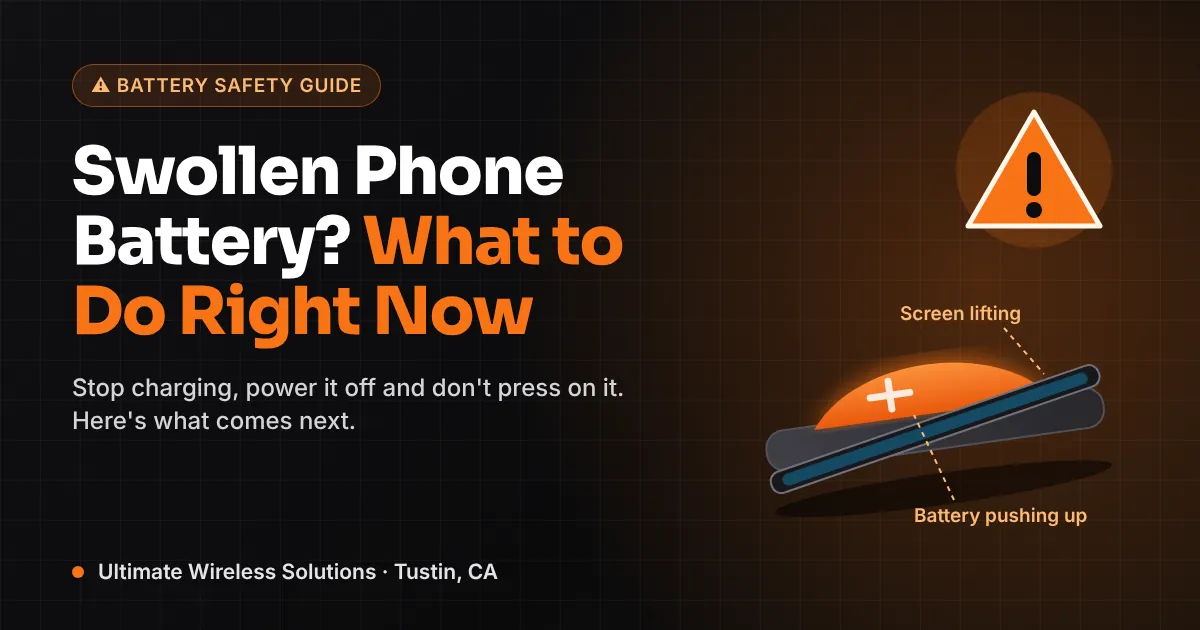
Quick answer
- Stop charging now. Don't plug it into a charger, a computer or a power bank, even to back it up.
- Power it off and leave it alone. Don't push the screen back down, squeeze the case or try to pry it open.
- Store it safely. Put it on a cool, hard, non-flammable surface, away from beds, couches, paper and kids.
- It won't go back to normal. A swollen battery has to be replaced. Freezing it or "letting the air out" is dangerous.
- Know the danger signs. Hissing, smoke, a sweet chemical smell, or heat while the phone is off means move it outside, away from people, and call for help if it smokes or flames.
Signs of a swollen phone battery
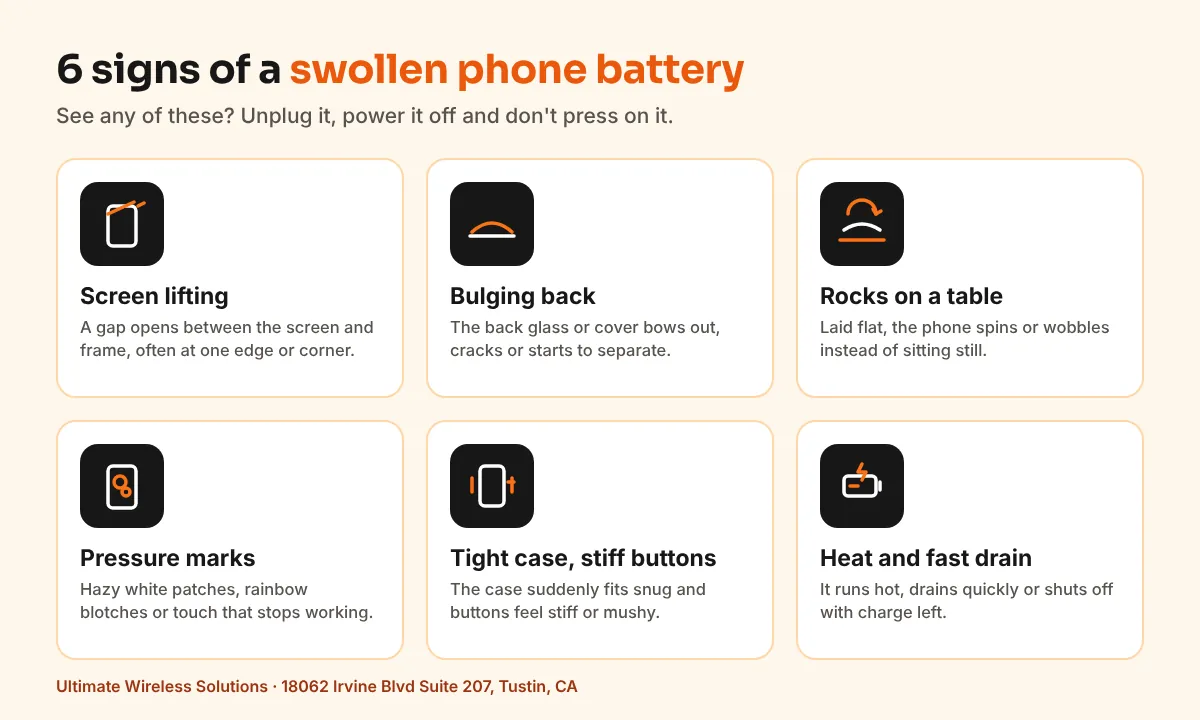
At our Tustin shop, a swollen battery often shows up disguised as another problem: a screen that "popped up," a case that stopped fitting or a touch screen acting strange. The battery sits right under the display, so the screen and back panel show it first. Look for:
- A lifting screen. A gap opens between the screen and the frame, usually starting at one edge or corner.
- A bulging or separating back. Back glass or a plastic back can bow out, crack or start to peel away.
- A phone that rocks or spins on a table. Laid flat, it wobbles instead of sitting still.
- Pressure marks on the display. Hazy white patches, rainbow or oil-slick blotches, ghost touches or dead spots.
- A case that suddenly fits tight, or side buttons that feel stiff or mushy.
- Battery trouble at the same time, like fast drain, random shutdowns or the phone running hot.
A lifting screen isn't always the battery. Weak adhesive from an earlier repair can look similar, but treat it as a swollen battery until someone opens it up.
Is a swollen phone battery dangerous?
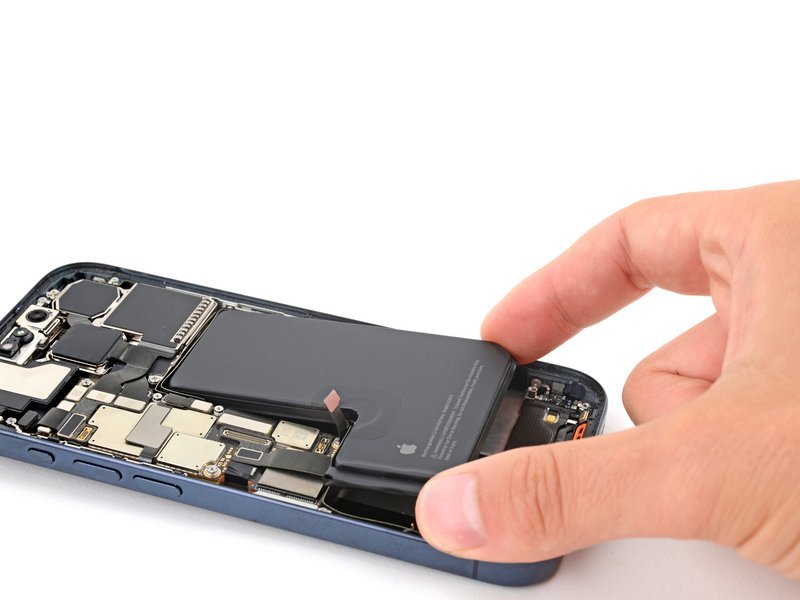
Yes, it's worth taking seriously, but there's no need to panic. Phone batteries are lithium-ion cells sealed in a thin pouch. When a cell breaks down, it gives off gas, and that gas puffs the pouch up like a pillow. That's why techs nickname it a "spicy pillow."
A swollen cell is damaged and under pressure. Puncturing, crushing, charging or heating it raises the risk that it vents, smokes or catches fire. Most swollen batteries don't, but a damaged battery is unpredictable, so stop using the phone and get the battery out soon.
There's also a cost reason to act quickly. The longer the battery pushes on the display, the more likely it cracks the screen or strains internal connectors, which can turn a battery job into a screen replacement too.
What to do with a swollen phone battery, step by step
- 1Unplug it and stop charging. That includes wireless pads, MagSafe, car chargers, power banks and computer cables.
- 2Back up only if you can do it without plugging in. If the phone still works and has some charge, a quick iCloud or Google backup over Wi-Fi is fine. Don't connect it to a computer, because that charges it. If it's dead, don't charge it just to rescue photos. Data can often be recovered after the battery is replaced, and our data recovery team can help if it can't.
- 3Power it off completely. A phone that's off won't heat up from apps running.
- 4Remove the case only if it slides off easily. If you have to squeeze or bend anything, leave the case on.
- 5Put it somewhere safe. Choose a cool, dry, hard surface like tile, concrete or a metal tray. Keep it out of the sun and out of the car. A parked car in an Orange County summer gets hot fast.
- 6Get the battery replaced soon. Bring it to a repair shop that replaces batteries every day. If the phone is still under the manufacturer's warranty or a protection plan, check with them first, since swelling may be covered.
What not to do
- Don't press the screen back down or hold it with tape or a tight case.
- Don't put it in the freezer or fridge. Cold doesn't reverse swelling.
- Don't poke or pierce the battery to let the gas out.
- Don't throw it in the trash or the recycling bin.
- Don't mail it without calling first. Carriers restrict shipping damaged lithium batteries.
Why do phone batteries swell?
Every lithium-ion battery wears out, and swelling is one way a worn or damaged cell fails. Common causes:
- Age and charge cycles. Normal wear over a few years of daily charging is the biggest factor.
- Heat. Charging under a pillow, gaming while charging, or leaving the phone on a dashboard all speed up wear.
- Cheap or damaged chargers. Uncertified chargers and frayed cables can charge unevenly. A worn charging port can cause similar trouble, which we cover in our guide to why a phone stops charging.
- Drops and impacts. A hard drop can damage a cell inside without leaving a mark on the outside.
- Low-quality replacement batteries. A poorly made aftermarket cell can swell much sooner than the original.
- Sitting dead in a drawer. Old phones stored at 0% for months are a classic source of spicy pillows.
Can a swollen battery be fixed?
No. Once a battery swells, the damage inside the cell is permanent. It won't shrink back, and nothing makes it safe to keep using. The fix is a battery replacement: the old cell comes out, the bay is cleaned, and a new battery goes in.
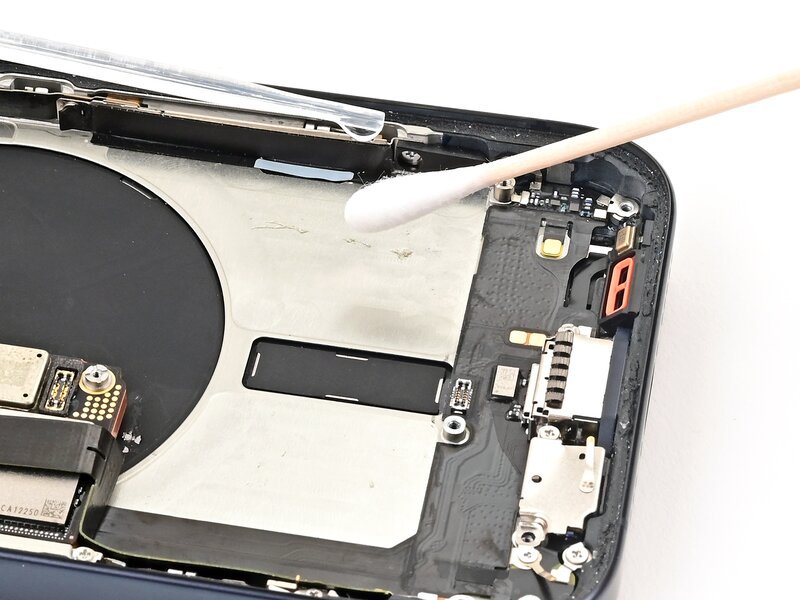
A good tech also checks what the swelling may have damaged, like the display, frame and battery connector.
We publish DIY guides, like this iPhone 15 Pro battery replacement guide, but we don't recommend doing it yourself when the battery is already swollen. Prying near a swollen pouch is exactly how batteries get punctured.
Found an old phone with a swollen battery?
Drawer phones are where a lot of swollen batteries turn up. If it's a phone you don't plan to use again, you still shouldn't toss it. In California, batteries and electronics don't belong in household trash. Put the phone in a sealed bag or container and take it to a household hazardous waste drop-off. In our area, OC Waste & Recycling runs free collection centers. Tell the staff the battery is swollen.
If the phone might still be worth something, call us first and ask about our cash for phones service. Weighing a new battery against a new phone? Our guide on whether to repair your iPhone or upgrade covers the trade-offs.
How to keep it from happening again
- Keep it cool. Don't charge under pillows or blankets, and pull off a thick case if the phone gets hot while charging.
- Use good chargers. Stick with the manufacturer's charger or a certified one from a brand you trust.
- Turn on battery protection. iPhones have Optimized Battery Charging and, on newer models, a charge limit. Samsung Galaxy phones have Battery Protection, and Pixels have Adaptive Charging.
- Store spare phones half charged and top them up every few months.
- Replace an aging battery before it fails. On an iPhone, check Settings > Battery > Battery Health. Fast drain and surprise shutdowns are also signs.
When to bring it to a pro
Any physical sign of swelling is a reason to bring the phone in. In particular, don't wait if:
- The screen is lifting, the back is separating, or the phone rocks on a table.
- The phone feels warm while it's off, hisses, or gives off a sweet or chemical smell.
- It swelled after an earlier battery replacement somewhere else.
- The display shows pressure marks or the touch screen stopped responding in spots.
- You need data off a phone you can't safely charge.
- You can't tell whether it's the battery or loose adhesive.
We work on iPhone, Samsung Galaxy, Pixel and other phones, plus tablets. Coming from Irvine? See our Irvine cell phone repair page.
Swollen battery FAQ
Is it safe to use a phone with a swollen battery?
No. A swollen battery is damaged and under pressure. Charging, heating or pressing on it raises the risk of venting or fire. Stop charging it, power it off and get the battery replaced.
Can a swollen phone battery go back to normal?
No. The swelling comes from gas created when the cell breaks down, and that damage is permanent. Freezing, pressing or piercing the battery doesn't fix it and can make it dangerous. The only fix is a replacement.
What causes a phone battery to swell?
Usually age and normal wear, sped up by heat, cheap chargers, drops, low-quality replacement batteries or months stored at 0% in a drawer.
Can a swollen phone battery catch fire?
It can, especially if it's punctured, crushed, charged or heated. Most don't, but a damaged battery is unpredictable. If it smokes, hisses or gets hot while off, move it outside away from people.
How do I dispose of a swollen phone battery?
Never put it in the trash or recycling bin. Seal the phone in a bag or container and take it to a household hazardous waste drop-off, such as an OC Waste & Recycling collection center, and tell staff it's swollen.
Will my screen need to be replaced too?
Not always. If the screen still works without cracks or pressure marks, a battery replacement may be all you need. If the swelling cracked or damaged it, the screen may need replacing as well.
Swollen battery help in Tustin and Orange County
Seeing a lifting screen or a bulging back? Unplug the phone, power it off and bring it to Ultimate Wireless Solutions at 18062 Irvine Blvd Suite 207, Tustin, CA 92780, or call (949) 300-8898. We help customers across Tustin, Irvine, Santa Ana, Orange, Anaheim, Costa Mesa, Newport Beach, Mission Viejo and Lake Forest with iPhone repair, battery replacement and more. Every phone is different, so call or get a free quote, or book an appointment.