Quick answer
- Power it off right away and don't plug it in. Electricity plus water is what does the real damage.
- Tap, wipe and air-dry. Hold it connector-down, tap it gently against your hand, and leave it somewhere dry with airflow.
- Wait before charging. Apple suggests waiting at least 5 hours before connecting a cable, and drying can take up to a day.
- Don't use rice, heat, compressed air or cotton swabs.
- Back up your data the moment the phone works, then get it inspected if you notice any warning signs.
How to fix a water damaged phone in the first hour
Phone fell in water? At our Tustin shop, the phones that survive a dunk usually belong to people who did a few simple things fast. Here's the order we recommend for any iPhone, Galaxy, Pixel or other smartphone.
- 1Get it out and turn it off. Every second underwater lets more liquid reach the inside. Power the phone off even if it seems fine. A phone that's running sends current through wet parts, and that's when short circuits happen.
- 2Take off the case and accessories. Cases trap water against the frame and ports. Unplug headphones or cables. Leave the SIM tray closed for now. Apple says to make sure the phone is dry before you open it.
- 3Wipe it and tap out the water. Use a soft, lint-free cloth on the outside. Then hold the phone with the charging port facing down and tap it gently against your palm to shake water out of the port and speaker grilles.
- 4Let it air-dry with airflow. Set it on a towel in a dry room. A fan blowing cool air toward the port can help. Don't put it in a sealed container, a warm car or on a heater.
- 5Wait before you charge it. Apple's guidance is to wait at least 5 hours before connecting a cable or accessory. If you get a liquid alert when you plug in, unplug and give it more time, up to 24 hours.
- 6Back up as soon as it works. When the phone turns on, back it up to iCloud, Google or your computer right away. Damage can get worse over the next few days.
- 7Watch it closely for a week. Corrosion is slow. A phone can seem fine for days and then start acting up.
What not to do with a wet phone
Most of the "tricks" people find online either don't help or make things worse. Avoid these:
- Don't charge it or plug it in until it's fully dry.
- Don't use heat. Hair dryers, ovens, microwaves and heaters can warp parts, damage the display and stress the battery.
- Don't blast it with compressed air. It can push water deeper inside instead of out.
- Don't poke the port with cotton swabs, paper towels or toothpicks. Fibers and bent pins are hard to fix.
How long should you leave a phone in rice?
Honestly, you shouldn't. Apple specifically says not to put a wet iPhone in a bag of rice, because small rice particles can get into the phone and cause damage. Rice doesn't dry sealed internal parts any better than open air, and it costs you time. Open air with a fan is the better choice.
"Liquid detected" alerts and moisture warnings
Newer phones warn you when the charging port is wet. On an iPhone you'll see a liquid-detection alert for the Lightning or USB-C connector. Samsung Galaxy phones show a water drop icon and stop charging through the port. Both are protecting the phone, not reporting a broken part.
- Unplug the cable and keep the phone connector-down in a dry spot with airflow.
- Try again after at least 30 minutes. If the alert comes back, liquid is still in the port, so keep waiting. Full drying can take up to a day.
- iPhones have an emergency override, but charging a wet port can corrode the pins and cause permanent damage. Use it only if you truly need to.
- If your phone supports wireless charging and the back is dry, a wireless charger is a safer option while the port dries.
Apple's full steps are on its liquid-detection alert support page. If the alert keeps showing up days later on a dry phone, the port may have debris or corrosion. Our charging port repair service can clean or replace it, and our guide on why a phone stops charging covers other causes.
Salt water, pool water and sugary drinks
Not all liquids are equal. Plain fresh water that dries quickly is the best-case scenario. Ocean water, chlorinated pool water, coffee, soda and juice leave salt, chemicals or sugar behind after the water evaporates. That residue keeps attracting moisture and corroding metal contacts long after the phone feels dry.
If your phone went into the ocean at Newport Beach or took a soda spill, follow the drying steps, then have it opened and cleaned soon. Air-drying can't remove residue from the board.
Signs your phone has hidden water damage
A phone can turn on after a dunk and still have damage inside. These are the symptoms we look for when a customer brings in a phone that "got a little wet":
- Fog or droplets inside the camera lenses
- Lines, dark spots, flicker or a ghost touch on the screen
- Muffled or crackling speaker, or callers who can't hear you
- Charging that's slow, on and off, or not working at all
- Battery draining fast, swelling or running hot
- Face ID, cameras, Wi-Fi or cellular signal not working
- Random restarts or the phone stuck on the logo
If you see any of these, stop using the phone as much as you can and back it up if possible. A battery replacement or a single part sometimes fixes it, but the cause needs to be found first.
Isn't my phone waterproof?
Most recent iPhones, Galaxy and Pixel phones carry an IP67 or IP68 rating. That means they're water resistant under lab conditions, not waterproof. Apple notes that splash, water and dust resistance are not permanent and can decrease with normal wear. A drop that cracked the back glass, an old screen repair, or a worn seal can let water in easily.
Coverage matters too. Apple states that liquid damage is not covered under its standard warranty. Accident protection plans and carrier insurance may cover it, so check your plan before you decide what to do.
When to bring a water damaged phone to a pro
Drying the outside only goes so far. Bring the phone to a repair shop if:
- It won't turn on or charge after drying for a full day
- It was in salt water, pool water or a sugary drink
- You notice any of the warning signs above
- It was underwater for more than a few seconds or very deep
- You can't back up and there are photos or files you can't lose
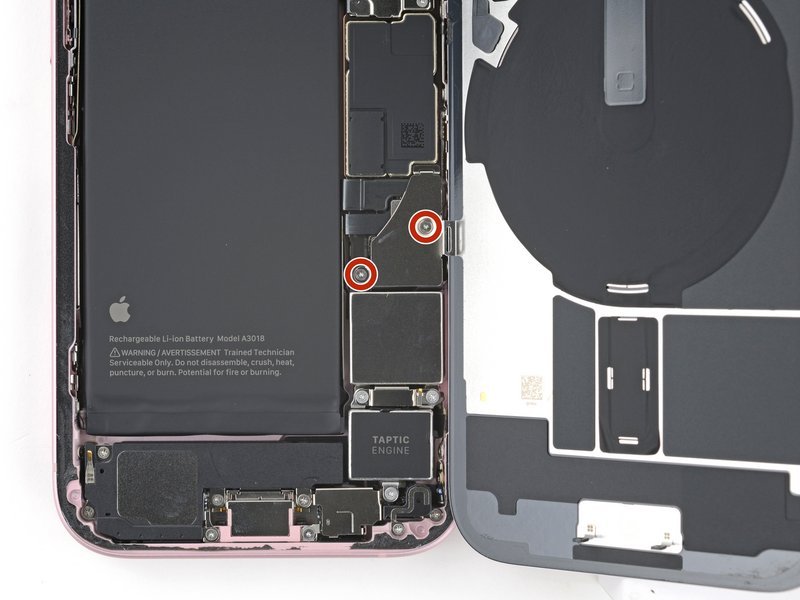
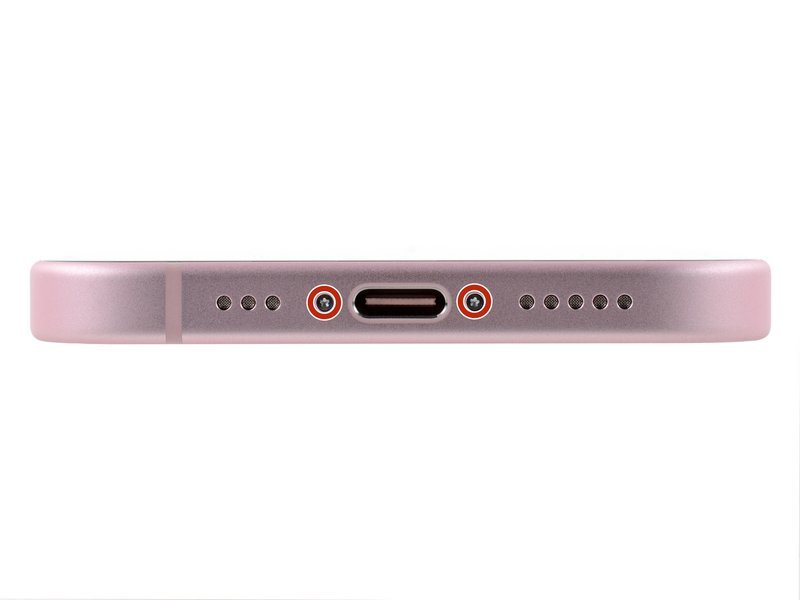
A proper water damage repair starts with opening the phone and disconnecting the battery. Then the board and connectors are inspected for corrosion, cleaned, dried and tested part by part. That inspection tells you whether the fix is a cleaning, a part like the screen or port, or something bigger. If you want to see what the inside of an iPhone looks like during a battery job, our iPhone 15 battery replacement guide walks through it with photos.
Is your data the main worry? Even if the phone itself isn't worth saving, your photos and contacts often are. Our data recovery service is the place to start when a phone won't boot and you need your files. And if repair doesn't make sense, our article on whether to repair or replace your phone can help you decide. You can also sell a damaged phone through our cash for phones program.
Water damaged phone FAQ
Can a water damaged phone be fixed?
Often, yes, especially when it's powered off quickly and checked before corrosion spreads. Some phones only need cleaning and drying. Others need a part such as the screen, battery or charging port. Phones left wet for days, or soaked in salt water, are harder to save.
How long should I leave my phone in rice?
Don't use rice. Apple advises against it because rice particles can get inside the phone. Leave the phone in a dry place with airflow instead, and wait at least 5 hours before charging.
Should I turn on my phone after it fell in water?
No. Turn it off and leave it off until it's dry. Powering it on or charging it while wet is the most common way a small spill turns into a dead phone.
How long does it take a phone to dry out?
The outside and the port can dry in a few hours, but full drying can take up to 24 hours. Liquid inside the phone may not dry completely on its own, which is why a phone that acts strange after a day should be inspected.
Does warranty cover water damage on a phone?
Usually not. Apple says liquid damage isn't covered under its standard warranty, and most manufacturers handle it the same way. An accident protection plan or carrier insurance may cover it, so check your plan.
Can I get my photos back from a water damaged phone?
In many cases, yes. If the phone powers on, back it up right away. If it won't turn on, a repair shop that offers data recovery can sometimes get the phone running long enough to copy your files.
Water damage repair in Tustin and Orange County
If your phone took a swim, bring it to Ultimate Wireless Solutions at 18062 Irvine Blvd Suite 207, Tustin, CA 92780, or call (949) 300-8898. We work on iPhone repair, Samsung repair and other phones for customers across Tustin, Irvine, Santa Ana, Orange, Anaheim, Costa Mesa, Newport Beach, Mission Viejo and Lake Forest. Pricing depends on what we find inside, so call or get a free quote, or book an appointment. Visiting from nearby? See our Tustin location page for directions.